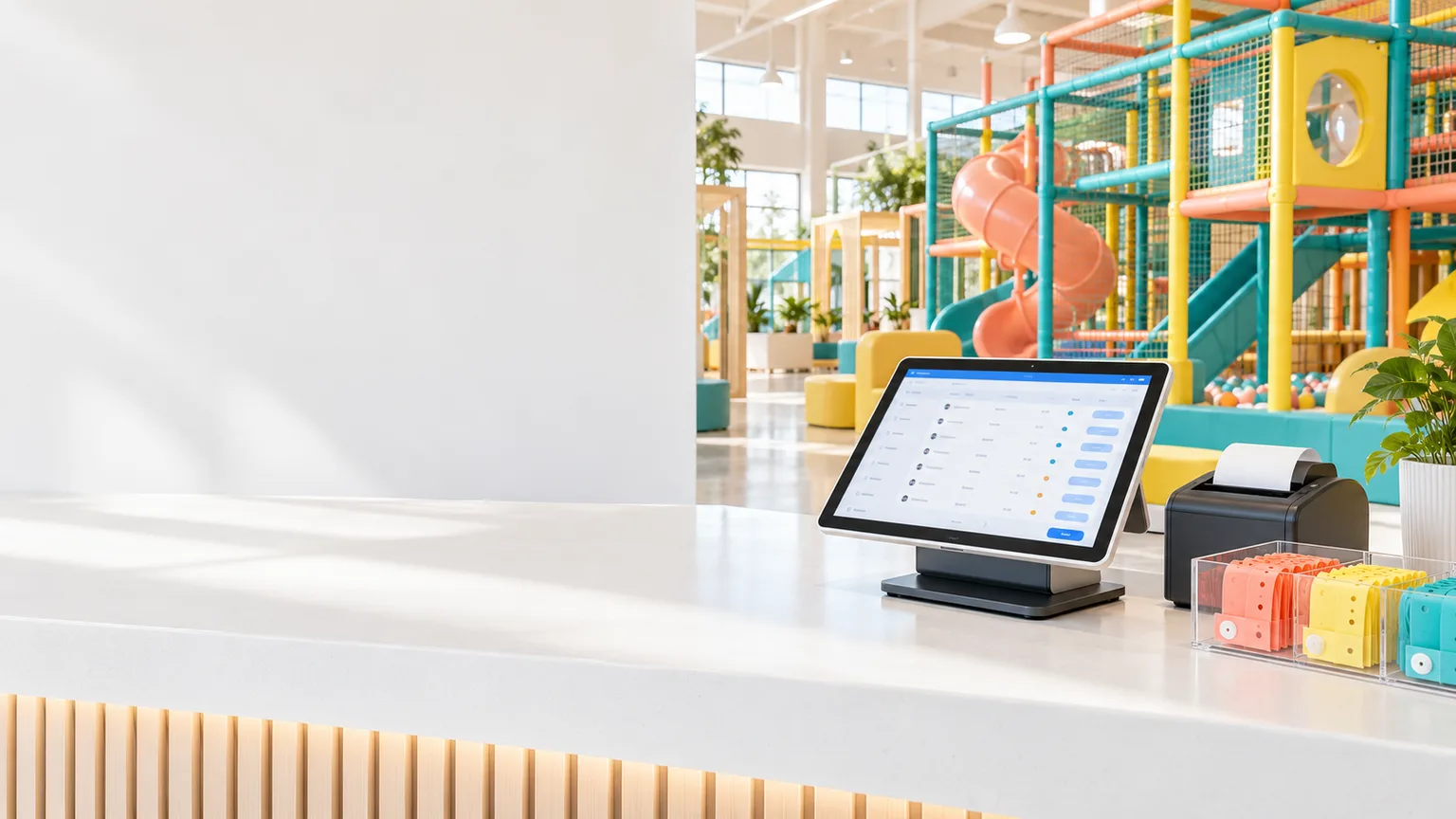
Conceptual play venue reception with a ticketing tablet, receipt printer and colorful soft-play structures.

PLAY ZONE MANAGEMENT SOFTWARE

PZMS

Less admin.
More play.

Made for your everyday operations easy and hassle free

From the first check-in to the final receipt.
Your play venue, connected in one workspace.

Tickets to accounts Desktop, tablet & mobile

BIG DAYS. BUSY VENUES.
ONE CONNECTED WORKSPACE.

Indoor play zones Soft-play centres Family entertainment venues

MEET YOUR DAILY WORKSPACE

Everything behind
a great day of play.

Keep the front desk, Cafe and back office working from the same system. Less switching between tools. More clarity for your team.

PZMS
Illustrative data
01 / 03

Create tickets, follow session times and keep guest details together, from arrival to checkout.

See it for your venue

THE WHOLE VENUE, CONNECTED

One system.
Every part of your day.

Purpose-built workflows for the work that keeps your venue moving, without treating every department as a separate business.

01 / TICKETING

Tickets & sessions

From a paid ticket to a tracked visit. Keep arrivals, play time and receipts connected, so your team can welcome guests without juggling the details.

SCAN-BASED SESSION TRACKING

Know who's inside.
Know when their time is up.

Record entry with a ticket scan and follow each active session's remaining time. Stop opening tickets one by one or working out end times by hand.

  • Create the right ticket

    Select the guest, plan and rate in one workflow. Keep the visit details together from the start.

  • A receipt for every sale

    Generate the ticket receipt, record the payment and print or reprint it when needed.

  • Scan in. Keep track.

    Use the ticket scan to record entry and track the session, rather than relying on manual checks at the gate.

  • See approaching end times

    On-screen warnings flag sessions nearing their end. Time-up and overdue alerts help staff act promptly, with overdue sound alerts where enabled.

02 / CAFE

Cafe & public ordering

Let guests browse your menu and place orders through the PZMS web app. Keep their request, your Cafe team and the kitchen's progress connected, from the first item to the final handover.

GUEST ORDERS. CAFE UPDATES.

The kitchen knows the order.
The guest knows its status.

Staff update the order as it moves through preparation, ready for pickup and served. Guests can follow the updated status on their order page, helping reduce repeat questions at the counter.

RequestConfirmedReadyServed
  • Order from the PZMS web app

    Guests browse the branch menu, choose items and quantities, review their bag and submit an order request without queuing just to place it.

  • Give your team a clear request

    Staff see the items, quantities and guest notes. Where approval is enabled, the Cafe can review the request and confirm payment before accepting it.

  • Update progress as the kitchen works

    Keep the order confirmed while it is being prepared, then mark it Ready when it can be collected and Served after the handover.

  • Keep guests informed, not guessing

    The guest's tracking page refreshes the order status while open, so they can see when their order is confirmed, ready for pickup or served.

  • One menu behind every order

    Manage item names, photos and prices from your Cafe item catalogue. Branch settings control public ordering, price visibility and approval requirements.

03

Customers & memberships

Bring customer accounts, family members and membership details into one place.

  • Customer and person profiles
  • Membership plans and rates
  • Customer visit tracking
04

Parties & bookings

Organize party bookings and follow the payment picture without losing track of the celebration.

  • Booking and guest details
  • Receipts and payment history
  • Booking status visibility
05

Finance & expenses

Give your back office a structured place for finance accounts, expenses and supporting records.

  • Accounts and business units
  • Expense categories and vendors
  • Supporting attachments
06

Branches & team access

Keep branch settings and staff responsibilities aligned with the way your venue operates.

  • Branch-specific configuration
  • User roles and assignments
  • Desktop and mobile layouts

MORE CLARITY. LESS FRICTION.

The fun is out front.
The control is here.

A busy play venue has a lot of moving parts. PZMS gives each team a connected view of the work, so the little details don't get left behind.

Let's talk about your venue
PZMSFront deskCafeYour teamFinance
01

A smoother front desk

Customer details, ticket rates and session information are part of one workflow, from the moment a family arrives.

02

A clearer payment picture

Keep ticket, Cafe and booking receipts in their respective workflows, with finance tools for the back office.

03

A consistent guest experience

Keep memberships, menu details and branch settings organized, so your team can focus on the visit.

04

A setup that fits your venue

Use branch-specific settings and role-based access to reflect your operations. Discuss the right modules and setup with us.

FROM FIRST LOOK TO DAILY USE

Let's make it work
for your venue.

Start with your operations, not a generic sales pitch. We'll walk through the workflows that matter to your team.

  1. 01

    Tell us about your venue

    Your branches, services, front-desk workflow and the challenges you want to solve.

  2. 02

    Explore PZMS together

    A focused demo of ticketing, memberships, Cafe, bookings and the back office.

  3. 03

    Plan your setup

    Discuss configuration, data preparation, staff access and the next steps for rollout.

A FEW GOOD QUESTIONS

Before we
say hello.

Have something else in mind?
Ask us directly

What kind of business is PZMS designed for?

PZMS is designed around indoor play zones and family entertainment venues that manage timed visits, memberships, Cafe orders and party bookings.

Can PZMS support more than one branch?

Yes. PZMS supports branch-specific settings and user assignments. We can walk through your branch structure and access requirements during a demo.

Can guests place Cafe orders themselves?

The public Cafe ordering workflow lets guests browse a branch's menu, submit an order request and track it. Branch settings control public ordering, price visibility and whether orders need staff approval.

Does PZMS work on phones and tablets?

The app has responsive layouts for desktop, tablet and mobile.

Can we bring existing master data into PZMS?

Migration needs a review of your source data and the target configuration. Customer records, ticket and membership masters, and Cafe items can be assessed as part of an agreed migration plan. Historical transactions and active entitlements need separate decisions.

How do we discuss pricing and deployment?

Share your venue and branch requirements through the enquiry section. Pricing, included modules, hardware compatibility and rollout scope should be agreed before deployment.

YOUR NEXT CHAPTER OF PLAY

A better day at work
starts with a hello.

Tell us what you're building. Let's see how PZMS can bring your venue's operations together.

Chat on WhatsApp

Review your enquiry, then choose WhatsApp or email to send it.

Let's talk PZMS.

A few details to start the conversation.

No data is submitted to a server by this static website.

Your enquiry preview

Review your enquiry. Nothing has been sent.

Privacy

This static preview does not use analytics, advertising cookies or a contact-form backend. Enquiry details stay in this page's memory and are not saved by the website. Copying an enquiry puts its text on your device clipboard.

Opening WhatsApp shares the prefilled enquiry text with WhatsApp to prepare your message. Opening an email draft passes it to your email application. You choose whether to send it; the selected provider's privacy terms apply. Hosting providers may keep normal web access logs.

This is a preview privacy notice and must be reviewed against the actual hosting, contact details and data-handling practices before public launch.